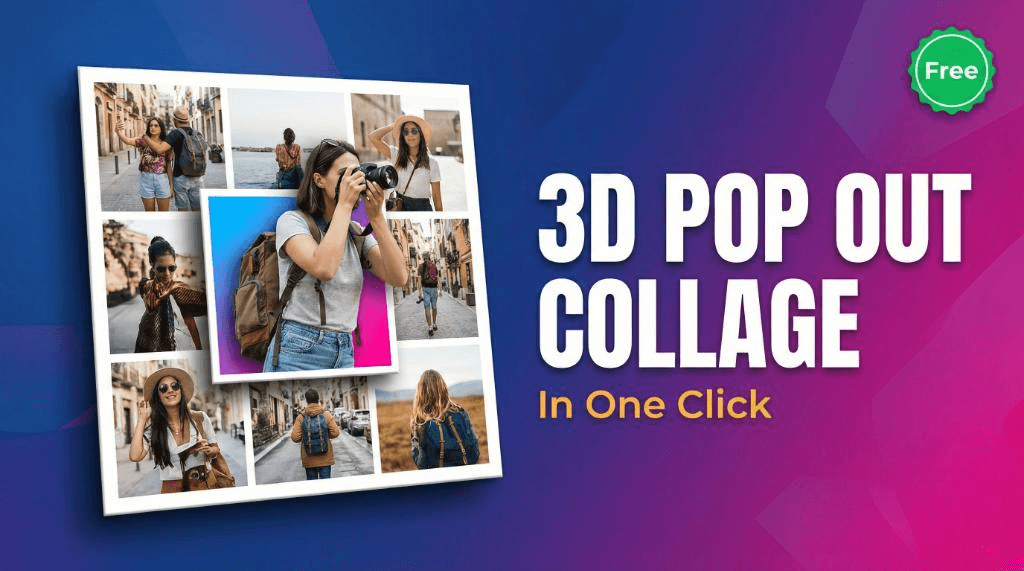
You've probably seen that stunning 3D pop out collage effect all over your feed. The one where a subject seems to literally break out of the picture frame, creating a dynamic, eye-catching visual.
Whether you call it a pop out photo effect or a 3D photo burst, this style stops the scroll.
But for the longest time, learning how to make a photo pop out of frame meant spending hours manually masking layers. Not anymore. Today, you can use a 3D collage maker online to get that exact high-end look in seconds.
Here is exactly how to create a flawless pop out effect online free, without downloading any heavy software.
What is a 3D Pop Out Collage?
A 3D pop out collage is a design technique where the main subject of an image overlaps the borders of its container. The background stays contained within the frame, but the subject "pops out," giving the illusion of three-dimensional depth.
Why This Trend is Growing
On social media, attention is everything. A standard flat image easily gets lost in the noise, but a 3D pop out effect creates an optical illusion that forces the viewer to pause. It is the perfect instagram pop out effect because it looks incredibly premium but requires zero graphic design skills to execute. It’s exactly why creators use a 3D collage for reels covers and thumbnails to instantly boost engagement.
Step-by-Step Guide to Create 3D Pop Out Collage
Ready to try it? Our pop out photo editor makes this complex effect impossibly simple.
- Upload images: Start by uploading your photos directly into our browser tool.
- Choose layout: Select the grid or frame style that best fits your vision.
- Adjust border and radius: Tweak the thickness of your borders and soften the edges with rounded corners.
- Click pop out: Hit the magic button. Our AI instantly separates the subject and applies the 3D over-frame effect automatically.
- Download: Save your high-resolution image instantly.
To make your workflow even smoother, you can remove background online first if you want total control over the transparency.
Why You Do Not Need Photoshop
Ten years ago, a no photoshop pop out effect was impossible. You had to carefully trace your subject pixel by pixel. Now, you can achieve a perfect collage with background removal built right into the browser.
Our tool handles the edge detection, masking, and layering automatically so you can focus on the creative part. Plus, since it is browser-based, you can edit from anywhere without a massive software subscription.
Best Ratios for Social Media
To get the most out of your collages, always start with the right canvas size:
- 1:1 (Square): The classic format. Perfect for Instagram grid posts and standard carousels.
- 4:5 (Portrait): The optimal size for Instagram posts, maximizing screen real estate without getting cropped.
- 9:16 (Vertical): The absolute must-have ratio for TikToks, YouTube Shorts, and Reels covers.
Practical Tips for Better Results
To make your collages look polished and professional, keep these tips in mind:
- Choose clear subjects: The effect works best when the subject has clean, defined edges and contrasts well with the original background.
- Optimize your files: If your source files are huge, make sure to compress images without losing quality so your browser runs lightning fast.
- Perfect your framing: Sometimes you need a specific composition. Make sure to resize your images before creating collage so the subject fits perfectly in the frame.
Start Creating Today
Stop scrolling past amazing designs and start making your own. You have all the tools you need to build stunning, dimensional graphics that stand out.
Ready to bring your flat photos to life? Head over and create 3D pop out collage right now in just one click—no sign-up required!