How to Make Images SEO Friendly in 2026
When most bloggers and business owners try to grow organic traffic, they focus heavily on writing long, detailed articles. Keyword research, content outlines, and backlinks take center stage.
But there is one powerful SEO opportunity many people overlook.
Images.
Visual search continues to grow every year. Google Images drives millions of clicks daily. Social platforms prioritize visual content. AI search engines rely heavily on structured image data.
If you properly optimize images for Google, you unlock an entirely new source of consistent organic traffic.
This guide will walk you through practical steps to make your images SEO friendly in 2026.
Why Image SEO Matters More Than Ever
Search engines are smart, but they still cannot truly see an image the way humans can. They depend on context, structure, metadata, and surrounding content.
When you upload an image without optimization, you miss opportunities to:
- Rank in Google Images
- Improve page speed
- Strengthen topical relevance
- Support your primary keywords
- Enhance accessibility
A well optimized image supports your entire page strategy.
Step 1: Use Descriptive File Names
Image SEO starts before upload.
Most images come with default names like:
IMG_3847.jpg
That tells search engines nothing.
Instead, rename your file using clear, descriptive keywords. For example:
brown-leather-office-chair.jpg
This small change immediately improves search relevance.
Best practices:
- Use lowercase letters
- Separate words with hyphens
- Be descriptive but concise
- Avoid keyword stuffing
Your file name is the first signal Google reads.
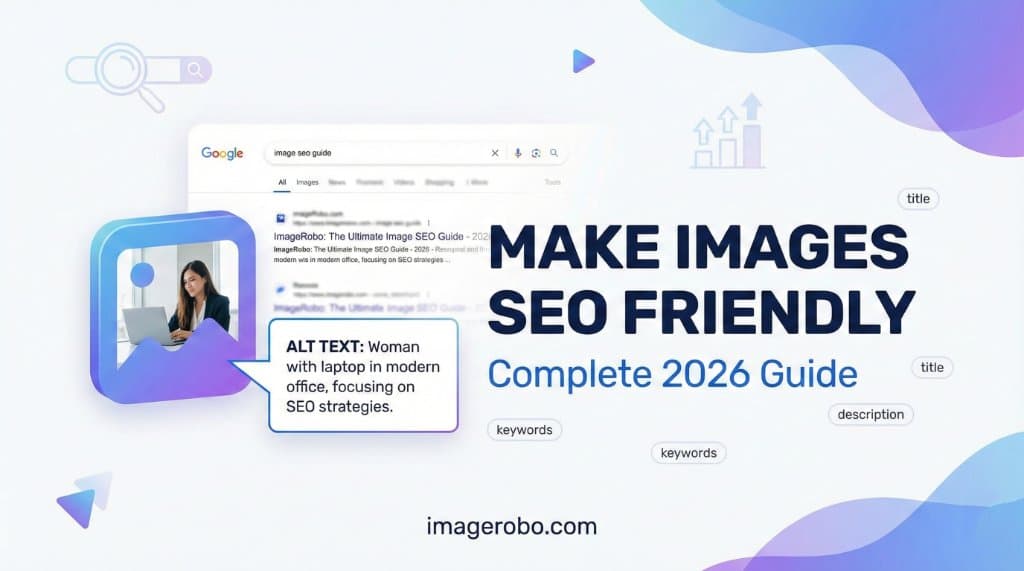
Step 2: Follow Image Alt Text Best Practices
Alt text is one of the most important parts of image SEO.
It serves two purposes:
- Helps search engines understand the image
- Improves accessibility for visually impaired users
When writing alt text, imagine describing the image to someone over the phone.
Instead of writing:
running shoes
Write:
professional running shoes placed on a red athletic track
That is clear, helpful, and descriptive.
Image Alt Text Best Practices
- Describe what is actually visible
- Include relevant keywords naturally
- Keep it clear and human
- Do not stuff keywords
- Avoid phrases like "image of" or "picture of"
Good alt text improves rankings and accessibility at the same time.
Step 3: Reduce File Size Without Losing Quality
Even perfectly described images will not rank well if they slow down your site.
Page speed is a ranking factor.
Large images increase load time, hurt Core Web Vitals, and damage user experience.
The solution is proper compression.
You can use the ImageRobo Image Compressor to:
- Reduce image size
- Compress image without losing quality
- Optimize images for faster loading
- Maintain visual clarity
Simply upload your image, adjust compression settings, preview the result, and download the optimized version.
If you need exact size requirements such as 50KB or 100KB, the tool allows you to control output efficiently.
Fast images equal better rankings.
Step 4: Choose the Right Image Format
The format you use matters.
In 2026, WebP continues to be one of the best image formats for web performance.
Why?
- Smaller file size
- Better compression
- Maintains high quality
- Supported by modern browsers
If you need to convert your images, use the ImageRobo Image Converter to quickly convert JPG or PNG files to WebP.
Choosing the best image format for SEO improves performance and rankings.
Step 5: Resize Images Properly
Uploading oversized images and letting CSS scale them down is inefficient.
Always resize images before publishing.
For example:
- Blog content images rarely need to exceed 1200px width
- Thumbnails can be much smaller
- Product images should match layout requirements
You can use the ImageRobo Image Resizer to:
- Resize images in pixels
- Maintain aspect ratio
- Avoid cropping
- Prepare images for social media
Proper sizing prevents unnecessary data transfer.
Step 6: Add Structured Context Around Images
Search engines also analyze the surrounding content.
To strengthen image SEO:
- Place images near relevant headings
- Add descriptive captions
- Reference the image in your paragraph text
- Use structured data where applicable
For example, if you are showing a background removal example, explain what changed and why it matters.
Context builds relevance.
Step 7: Use Internal Linking Strategically
If you create multiple guides about image optimization, link them together.
For example:
- Link your compression guide to your format conversion article
- Link your resizing tutorial to your social media optimization guide
Internal linking helps search engines understand topical authority.
It also improves user navigation.
Frequently Asked Questions
Does image format affect SEO rankings?
Yes. Image format affects page speed, which impacts rankings. WebP is often recommended because it provides smaller file sizes without visible quality loss.
How do I reduce image size without losing quality?
Use a smart compression tool that removes unnecessary metadata while maintaining visual clarity. The ImageRobo compressor helps you reduce image size efficiently.
What is the ideal image size for blogs?
Most blog images perform well between 100KB and 300KB depending on resolution. The goal is fast loading without visible degradation.
How important is alt text in 2026?
Very important. Alt text helps search engines understand your image and improves accessibility. It remains a core part of any strong image SEO guide.
Final Thoughts
Image SEO is not complicated. It is about consistency.
Rename your files.
Write meaningful alt text.
Compress images properly.
Use modern formats.
Resize intelligently.
When you optimize images for Google the right way, you gain more visibility, faster load times, and stronger rankings.
Small improvements across dozens of images can generate significant long term traffic.
Start treating your visuals as SEO assets, not decorations.
Your rankings will thank you.